receive Instagram Constant new updates. While this is beneficial for the app, there are times when updates cause problems. Common issues include not being able to add a post to your storyMany users get frustrated because they want to share more content to their Stories, but this doesn't have to be the end of your publishing career. Here are the reasons why this happens and how to fix it. Read on to add a post to your missing Instagram Story.

Many users get frustrated because they want to share more content on their Stories, but this doesn't have to be the end of your publishing career. Here are the reasons why this happens and how to fix it. Read on for all the details.
Add a post to your missing Instagram story
There are several reasons why some users may not be able to add a post to their Stories. Besides having an outdated app, Instagram Also testing a “Reshare” sticker, which effectively replaces the old feature.
Old app
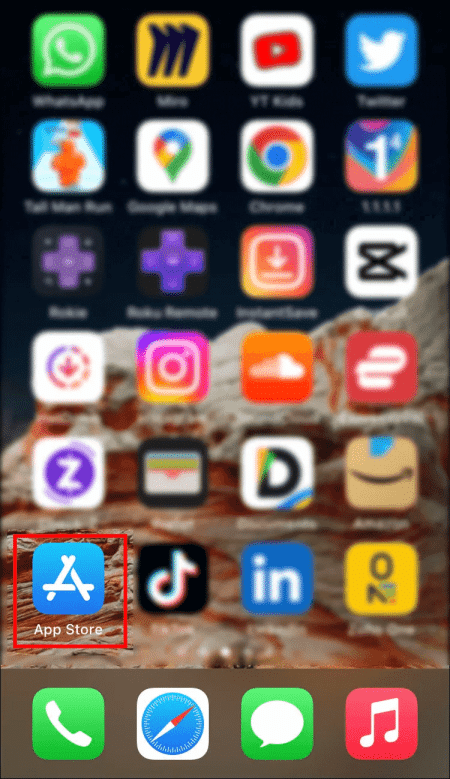
Trying to use an outdated Instagram app may cause glitches. If you're using iOS, go to the Apple App Store and update your app manually. The same applies to Android users, although they'll use the Google Play Store instead.
- Open Apple App Store.

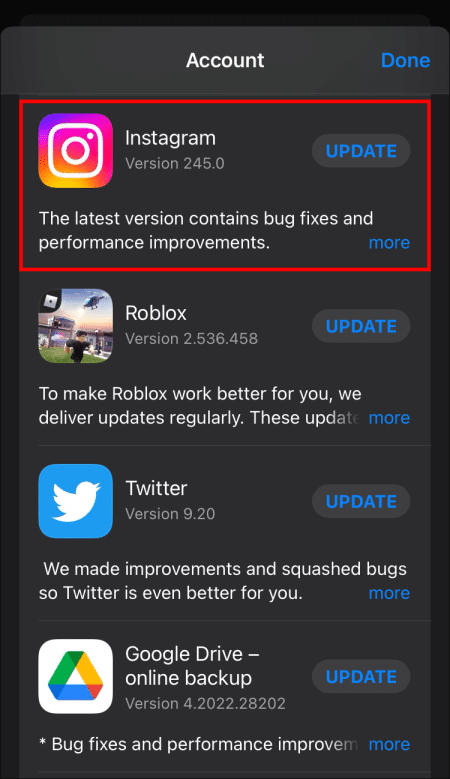
- Go to icon Profile in the upper right corner.

- Look for Instagram.
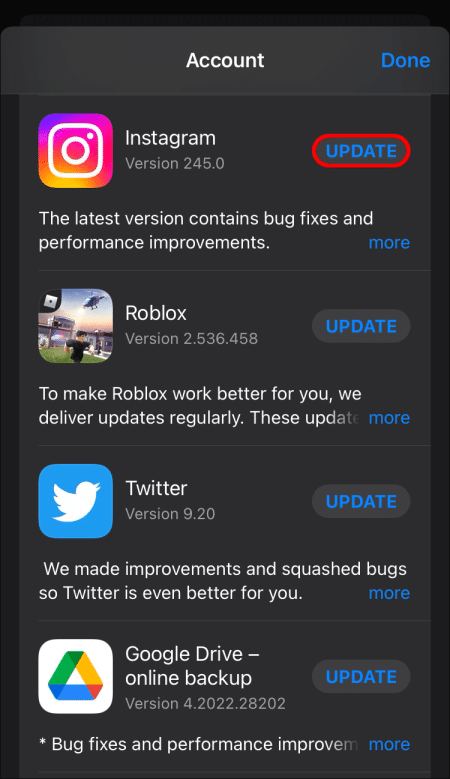
- Select the button to update application.
- Wait for the update to complete and test Instagram again.

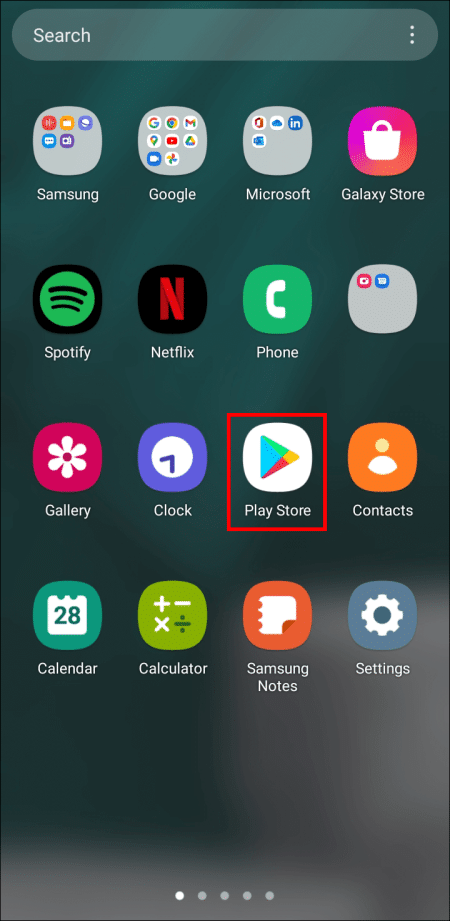
Android users should use these steps instead.
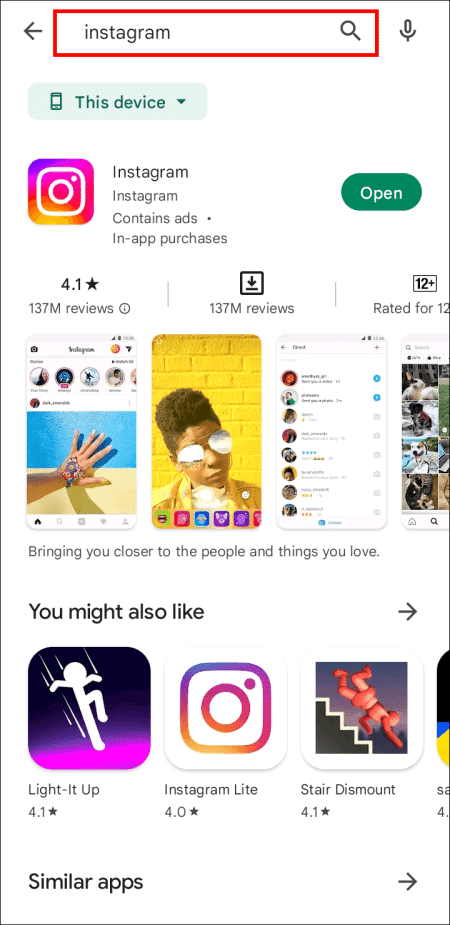
- Go to Google Play Store.

- Go to Application List.

- Look for Instagram In the menu using the search bar.
- Event application.

- try to Publish posts In your story now.
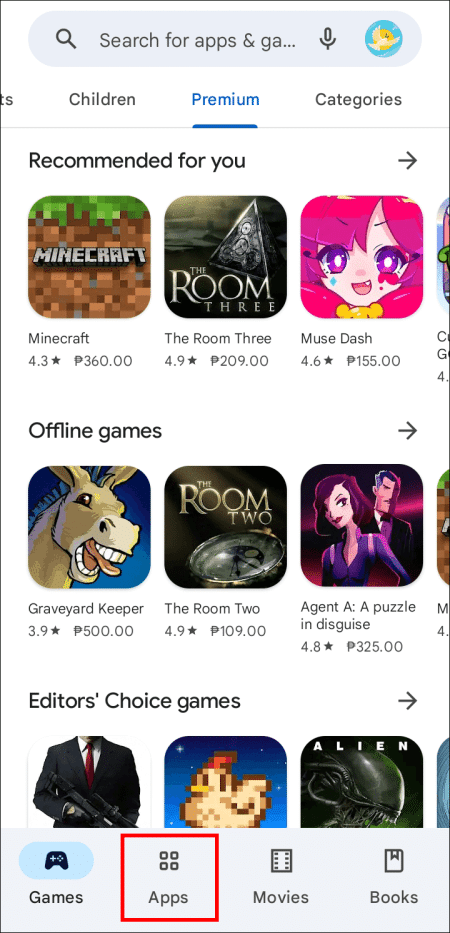
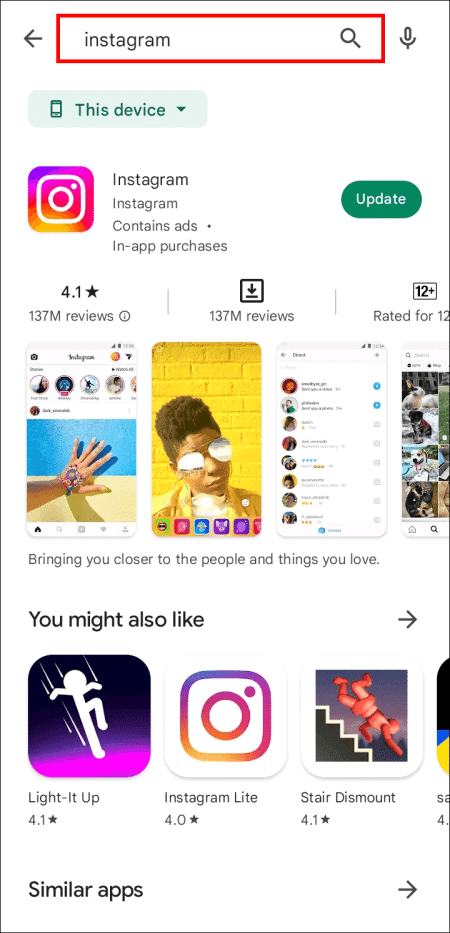
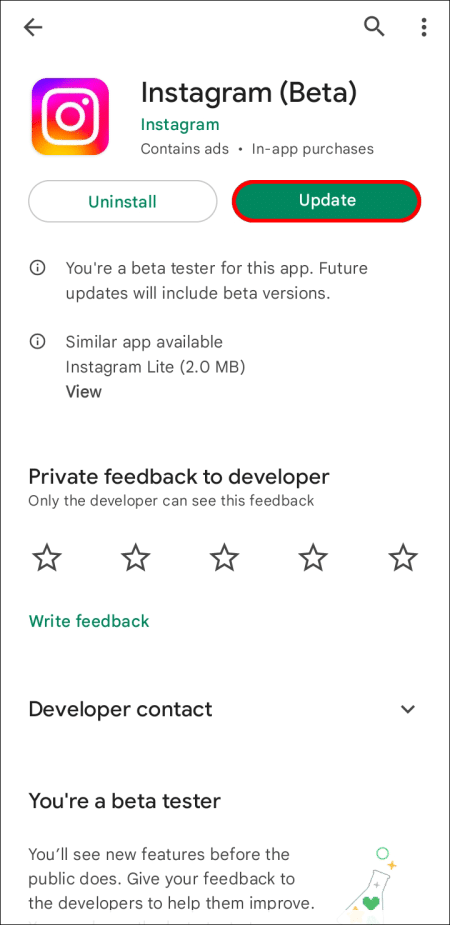
Sometimes, that's all it takes to get a feature back into Stories. If not, there are other reasons.
It was replaced
For some Instagram users in select countries, the button has been replaced with a "Reshare" sticker. This effectively creates a new process for sharing a post. Here's how.
- Open Instagram on your mobile device.
- Click on Your profile picture On Instagram in the lower right corner.

- Locate Create (Plus Code) Top of your screen.
- Find a sticker ReshareTap it and choose the post to share. Choose Share to add the post to your Story.

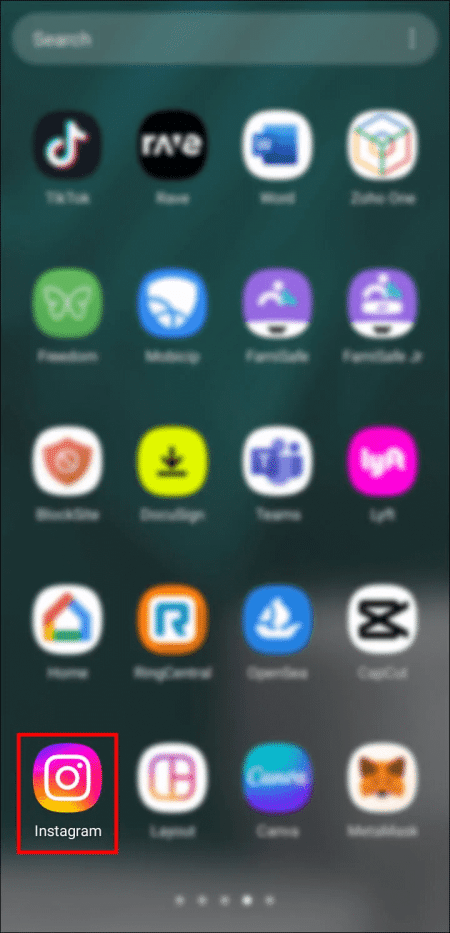
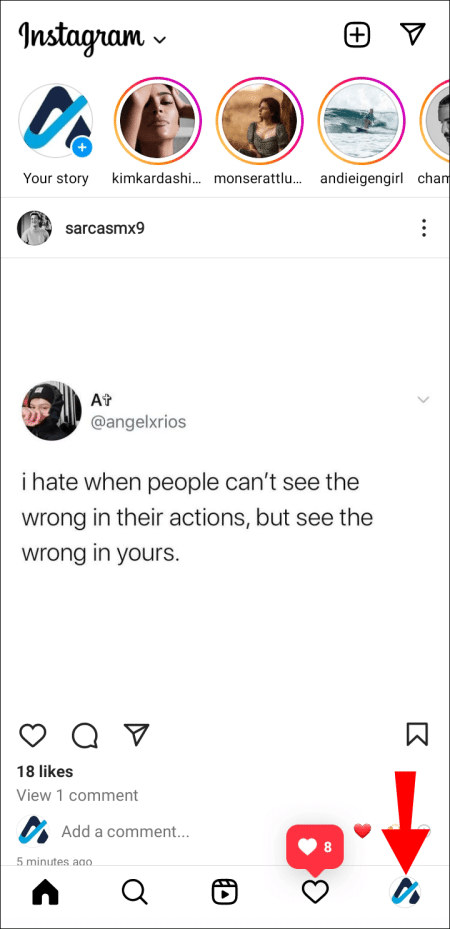
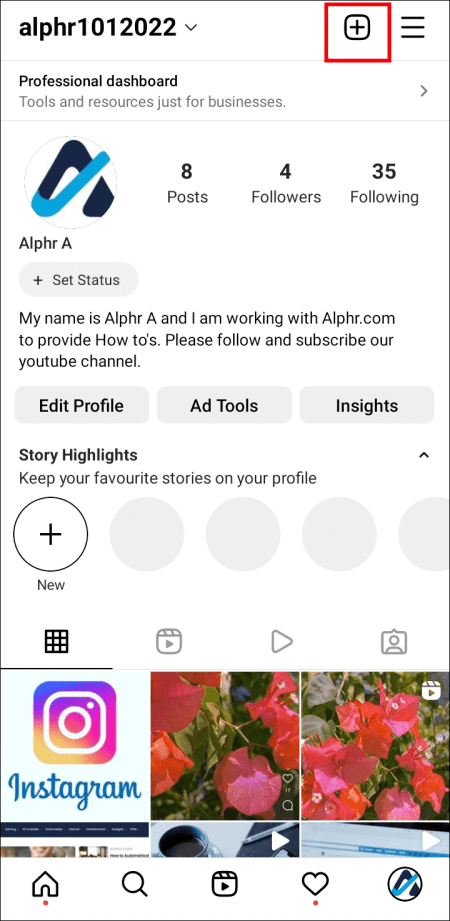
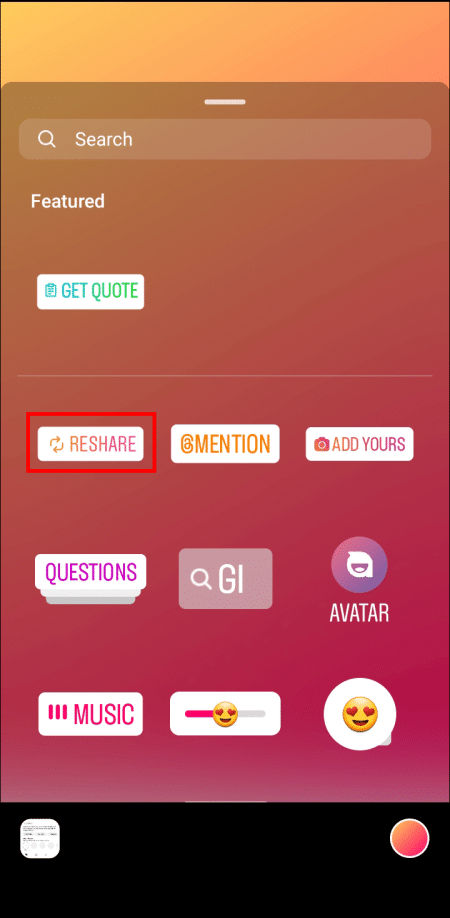
Currently, Instagram has not clarified whether the reshare sticker is intended to completely replace the old "Add Post to Your Story" option. The sticker is still being widely tested, so users can wait for more information. In the meantime, the sticker makes sharing a breeze.
Keep in mind that Instagram users in the US have access to the Reshare sticker.
The job was hidden.
This repetition sometimes happens to people who rarely add posts to their Stories. In this case, Instagram moves the button to the bottom of your sharing menu. Typically, this will be the first option you see.


- Click airplane symbol Or Arrow located below the post you want to share.
- Scroll down Post list Yours. Find an option. Add posts to Your story.

- Confirm your choice and participate.
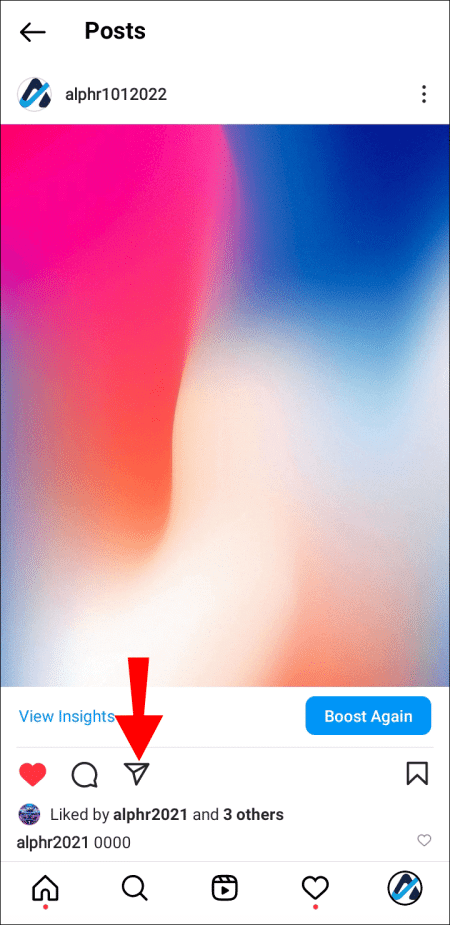

It would be better to use it more often to prevent the feature from being hidden as such. This way, Instagram will put it at the top of your list.
Reinstall Instagram
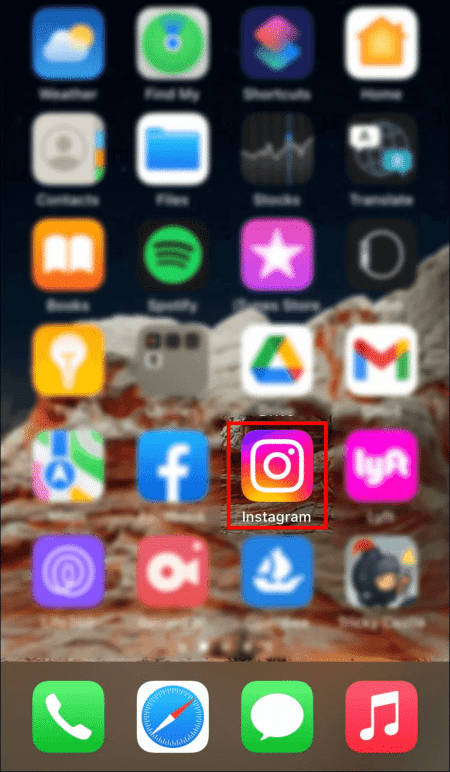
Corrupted app data may not be fixed by simply updating the Instagram app. You should uninstall Instagram from your device if common fixes don't work. It's not guaranteed to fix the feature issue, but reinstalling an app can fix many things. Follow the steps below if you're an Apple user.
- Press and hold the Instagram app for several seconds.

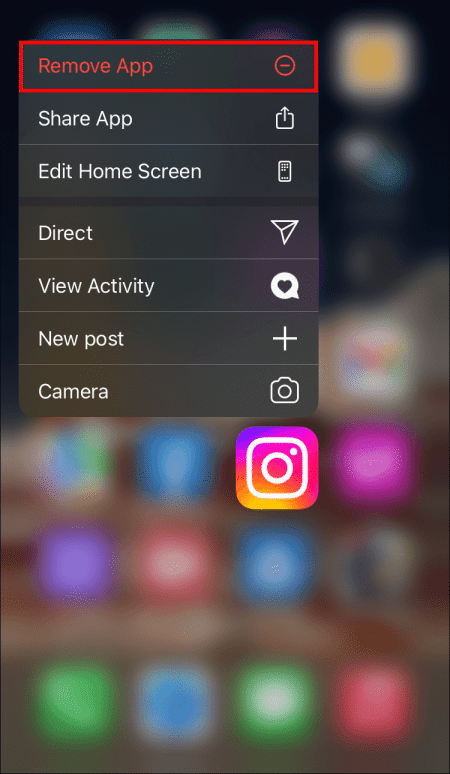
- Choose an option remove the app from the popup menu.

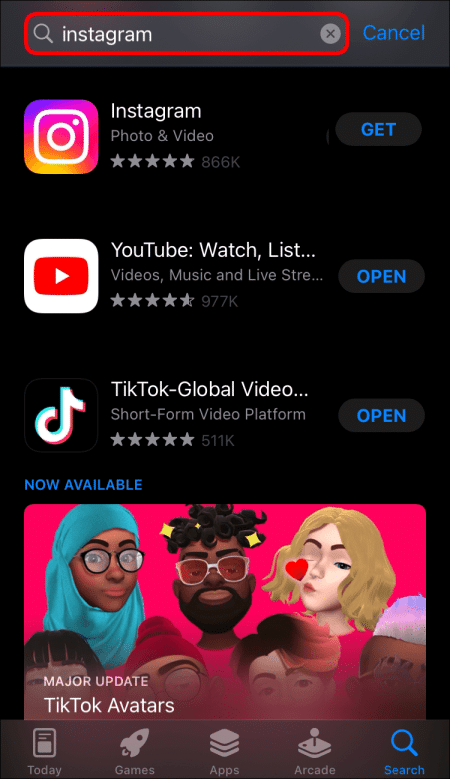
- Open App Store.
- Look for Instagram.
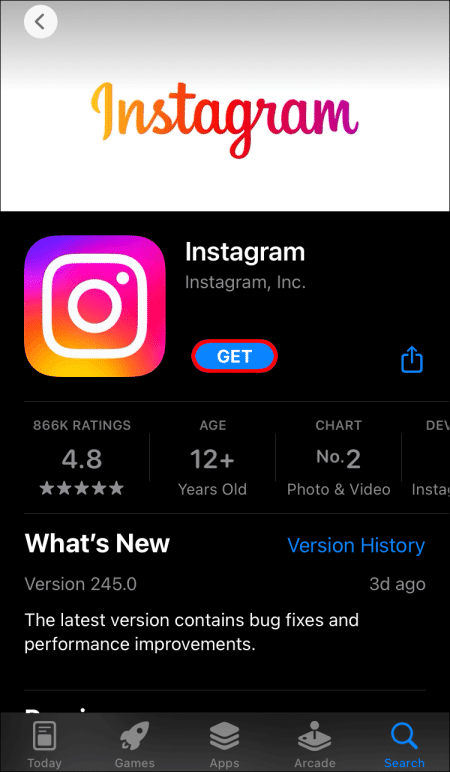
- Download the app again. Log in and check if everything is working properly.
These are the instructions for Android users.
- Go to Google Play Store.
- Go to the applications list.
- Look for Instagram.
- Select an option uninstall.
- Install it again. Enter your credentials and test the feature.
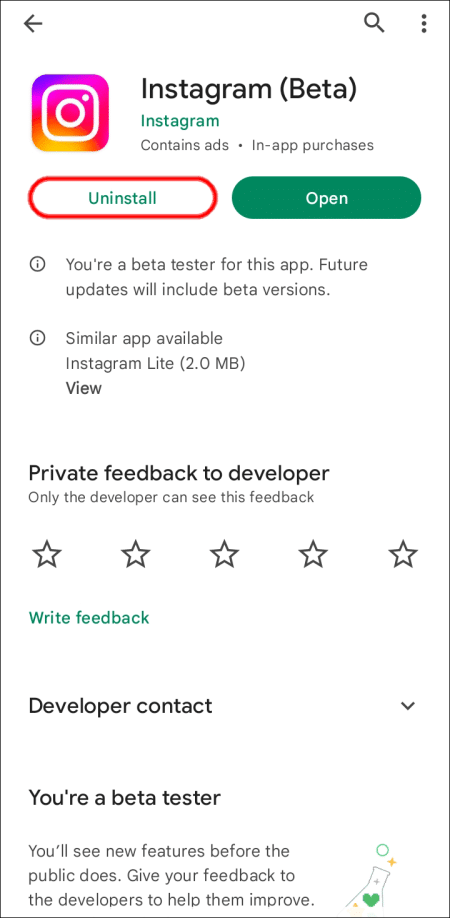
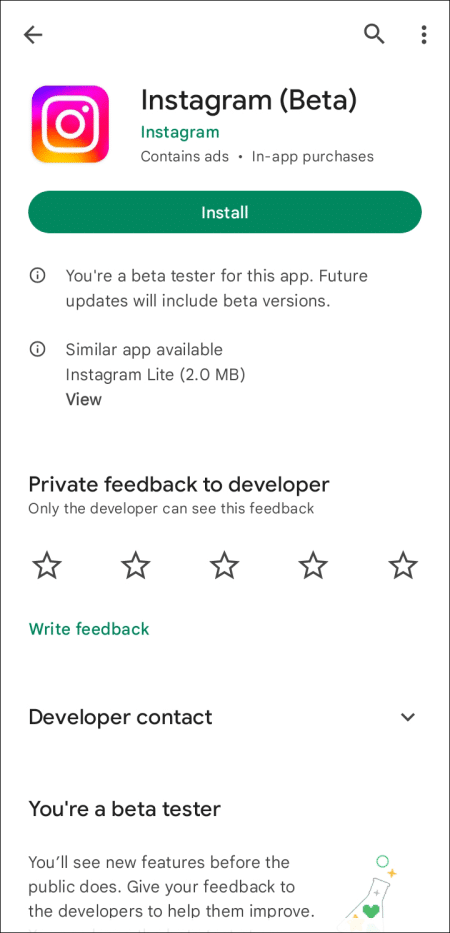
Some Android devices also have an uninstall option without using the Google Play Store. However, we recommend using it as you can instantly reinstall Instagram without leaving the app.
Reinstalling works because you remove cached data when you do so. Since these files may be corrupted, replacing them with fresh copies should eliminate any possibility of errors and glitches.
Try another device
Sometimes this is a device error, and no one knows exactly why. Unfortunately, this means you'll have to use someone else's phone to try this feature. The benefit is that you can see if the issue isn't just your disabled Instagram account.
If your device is experiencing issues, consider submitting a support ticket to Instagram customer service. They may be able to help you.
The poster does not allow sharing.
If the post's author has disabled resharing to Stories, you won't be able to do so no matter how hard you try. The only way to fix this is to ask politely. If the person agrees, they can enable resharing to Stories for you.
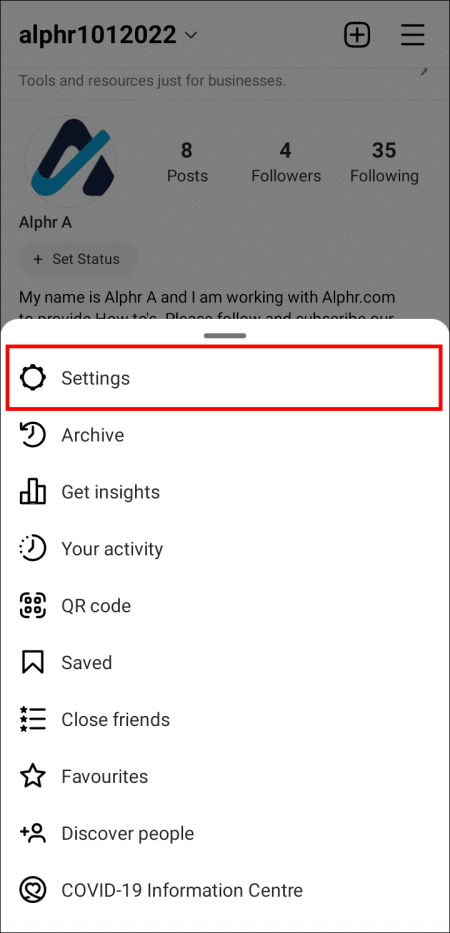
- Go to Instagram profile Your in the lower right corner and select List.
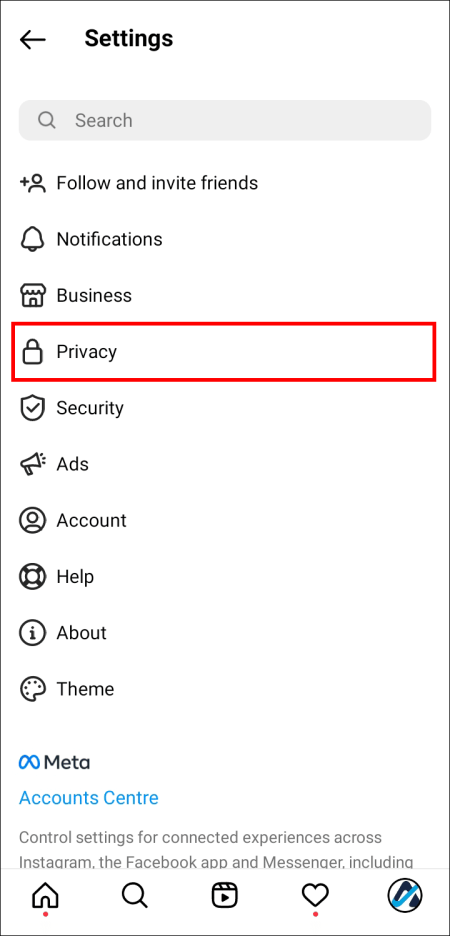
- Look for Settings And enter.
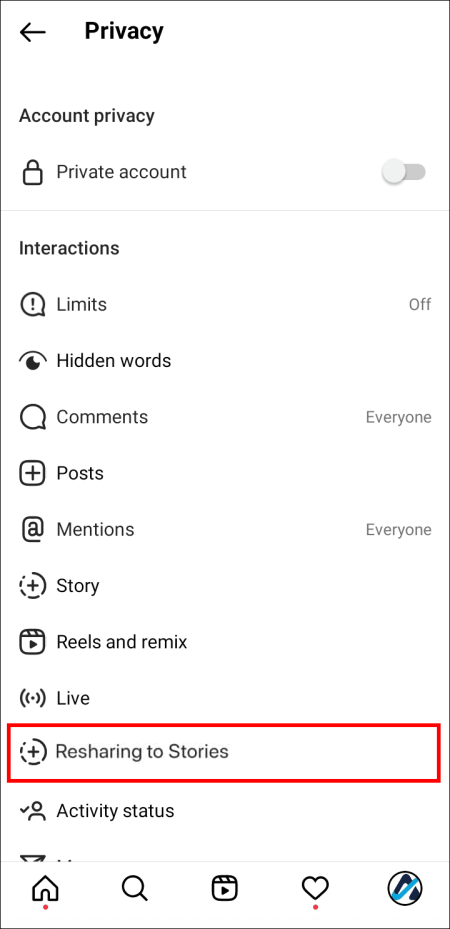
- Go to Privacy Section And choose the story.

- Scroll down and enable re-sharing To the stories.
- Now, posts can be shared until the author disables the feature again.
Politely ask the author of the post if they'd like to enable the feature. Unfortunately, not everyone may agree, so you can just move on to a different post.
Switch your account mode
Some people have reported that switching from private to public and vice versa sometimes restores the option to add posts to Stories. This takes a few seconds at most and should be tried if it works.
- Go to Your profile page On Instagram in the bottom right corner.
- Go to Menu and go to the list Settings.
- Scroll to Privacy and toggle your account mode. Test if the feature works. Reshare She's back.
Strangely, sometimes that's all it takes. Perhaps the privacy modes are causing a bug, and switching back and forth makes them disappear. However, to this day, no one is sure why this resharing feature is a problem.
Clear cache
iOS devices lost the ability to clear the cache without uninstalling, but Android phones still have this feature. This is more convenient than a full uninstall, as you keep the app.
Every phone is different, but here are some general steps that may help.
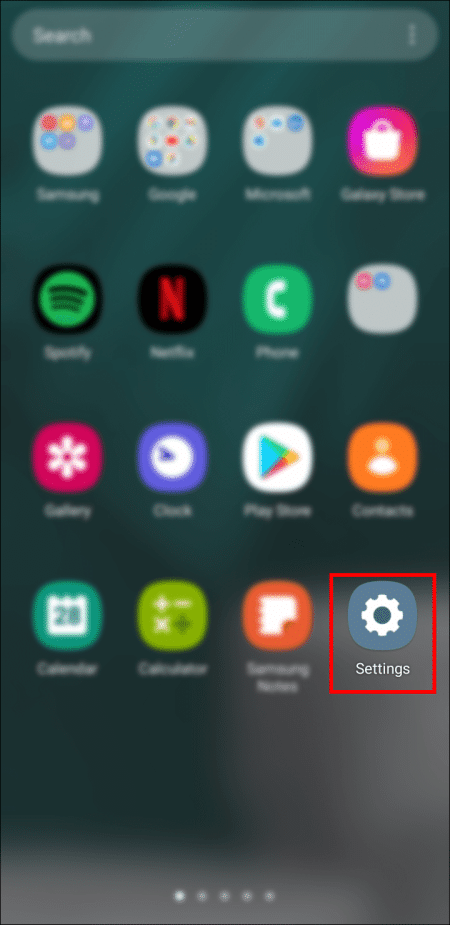
- Open Your device settings mobile.
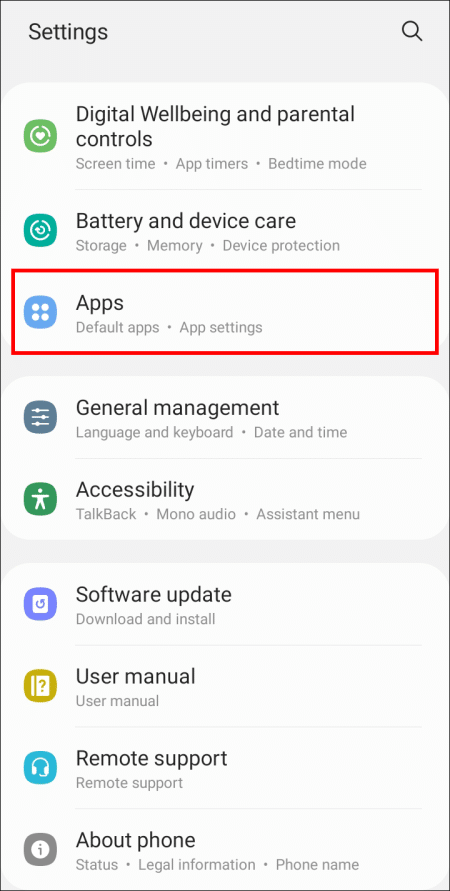
- Go to section Applications.

- Look for Instagram.
- Locate الخيار To clear the app cache. Try the app again.
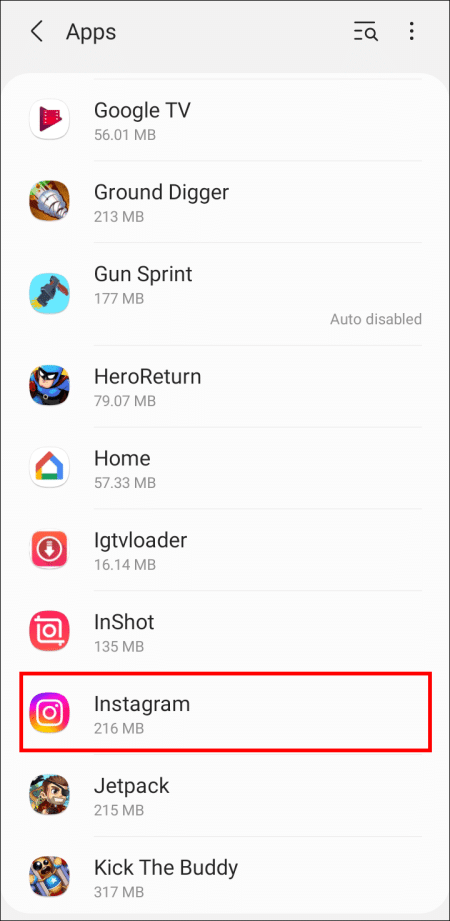
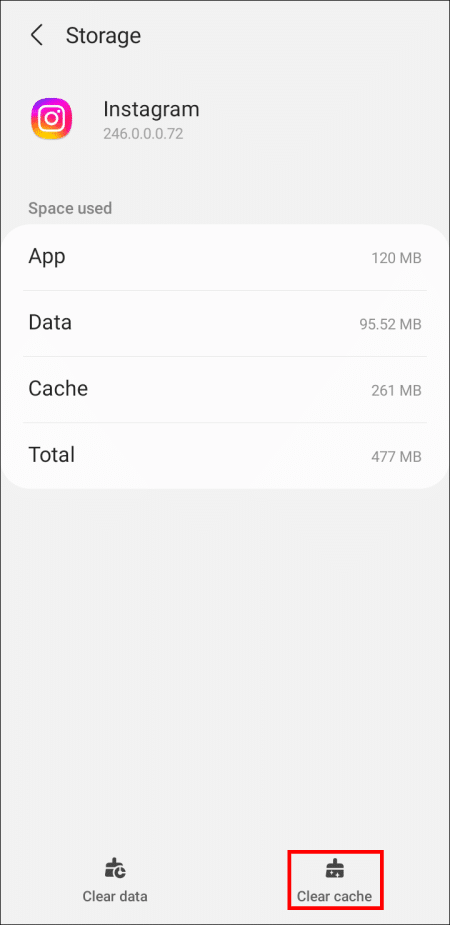
Some mobile devices allow you to instantly access the app's settings with a long press. Clearing cache files tends to fix errors as all corrupted parts are removed.
A bonus of clearing your cache is faster loading times. Caches help boost app performance, but having too many files can have the opposite effect.
Look at this
Instagram It's convenient and helps many people share their content, but there are times when resharing isn't possible. You can attribute this to bugs and glitches most of the time, but some authors also disable resharing. No matter the reason, there's always a solution to address it.
Have you ever encountered this issue on Instagram? What method helped you add a post to your missing Instagram Story? Let us know in the comments section below.