Notion هو برنامج لإدارة المشاريع وتدوين الملاحظات يتيح لك إنشاء قواعد بيانات وتدوين الملاحظات وتتبع المشاريع وإنجاز المزيد. إذا كنت تتعامل مع المشاريع على Notion بعمق ، فمن المحتمل أنك تتعامل مع مئات الملاحظات أو الصفحات. بينما يمكنك تنظيم الصفحات باستخدام المجلدات والمجلدات الفرعية ، قدمت Notion أيضًا ميزة الروابط الخلفية الجديدة للمساعدة في تنظيم الملاحظات والصفحات. وإليك كيفية إنشاء واستخدام الروابط الخلفية في Notion.

سواء كنت قد بدأت للتو رحلتك مع Notion أو كنت مستخدمًا محترفًا يستخدم قوالب Notion المعقدة لإدارة حياتك بأكملها ، يمكن أن تساعد الروابط الخلفية في تحسين سير عمل Notion الخاص بك. يمكنك إنشاء روابط بين الصفحات ورؤية العلاقات التي كنت ستفقدها لولا ذلك.
ما هي الروابط الخلفية أو الروابط ثنائية الاتجاه
تتيح لك الروابط الخلفية ، المعروفة أيضًا باسم الروابط ثنائية الاتجاه ، ربط ملاحظتين فرديتين. بينما تتيح لك تطبيقات تدوين الملاحظات الأخرى مثل Evernote و Apple Notes إنشاء روابط ملاحظات ، فهي مؤشرات أحادية الاتجاه. هذا يعني أن الملاحظة التي يتم ربطها ليس لديها طريقة لمعرفة مكان ربطها.
من ناحية أخرى ، تقوم الروابط الخلفية بإنشاء اتصال ثنائي الاتجاه بين الملاحظات. لذلك ، عند ربط ملاحظة داخل ملاحظة أخرى ، فإن الملاحظة الأصلية تعرض لك هذه المعلومات أيضًا. يعمل هذا على توصيل الملاحظات بسهولة لمساعدتك على اجتيازها بشكل عضوي.
فوائد استخدام الروابط ثنائية الاتجاه
يؤدي استخدام الروابط ثنائية الاتجاه إلى التخلص من الضغط الناتج عن تنظيم الملاحظات والصفحات ، خاصةً إذا كان مشروعك محملاً بها. لست بحاجة إلى تصنيفها في البداية. يمكنك البدء بملاحظة مرتبطة ، وتجسيد فكرتك ، ثم تخزينها في مكانها الصحيح. يمنحك هذا أيضًا طريقة لتنظيم الملاحظات التي إما لا تتناسب مع بنية مجلدك أو يمكن وضعها في مجلدات متعددة.
فائدة أخرى لاستخدام الروابط ثنائية الاتجاه هي أنها تساعدك على التنقل بسهولة بين الملاحظات المختلفة. على سبيل المثال ، يمكن أن يكون لديك لوحة تحكم رئيسية للمشروع تربط جميع مشاريعك. إذا كنت قد استخدمت روابط ثنائية الاتجاه ، فستتمكن أيضًا من العودة من المشاريع الفردية إلى لوحة القيادة الرئيسية.
تتمثل أهم فائدة للروابط ثنائية الاتجاه في أنها تساعد المستخدمين الآخرين على التنقل بسهولة عبر أفكارك وملاحظاتك وصفحاتك دون القفز عبر الأطواق. تظهر الروابط الخلفية بسهم أمامها للتعرف عليها بسهولة في ملاحظاتك وصفحاتك. بالإضافة إلى ذلك ، عندما تقوم بتحديث رمز أو عنوان نص على صفحة ما ، فإن كل رابط خلفي يحتوي على الصفحة سوف يقوم بتحديث التفاصيل تلقائيًا.
كيفية إنشاء روابط خلفية في NOTION
لقد جعلت Notion إنشاء الروابط الخلفية واستخدامها أمرًا سهلاً للغاية. يوجد أمرين مختلفين في لوحة المفاتيح يمكنك استخدامهما لإنشاء روابط ثنائية الاتجاه.
الخطوة 1: افتح صفحة Notion واكتب أقواس مربعة مزدوجة مفتوحة [[ لإحضار جزء الروابط الخلفية.
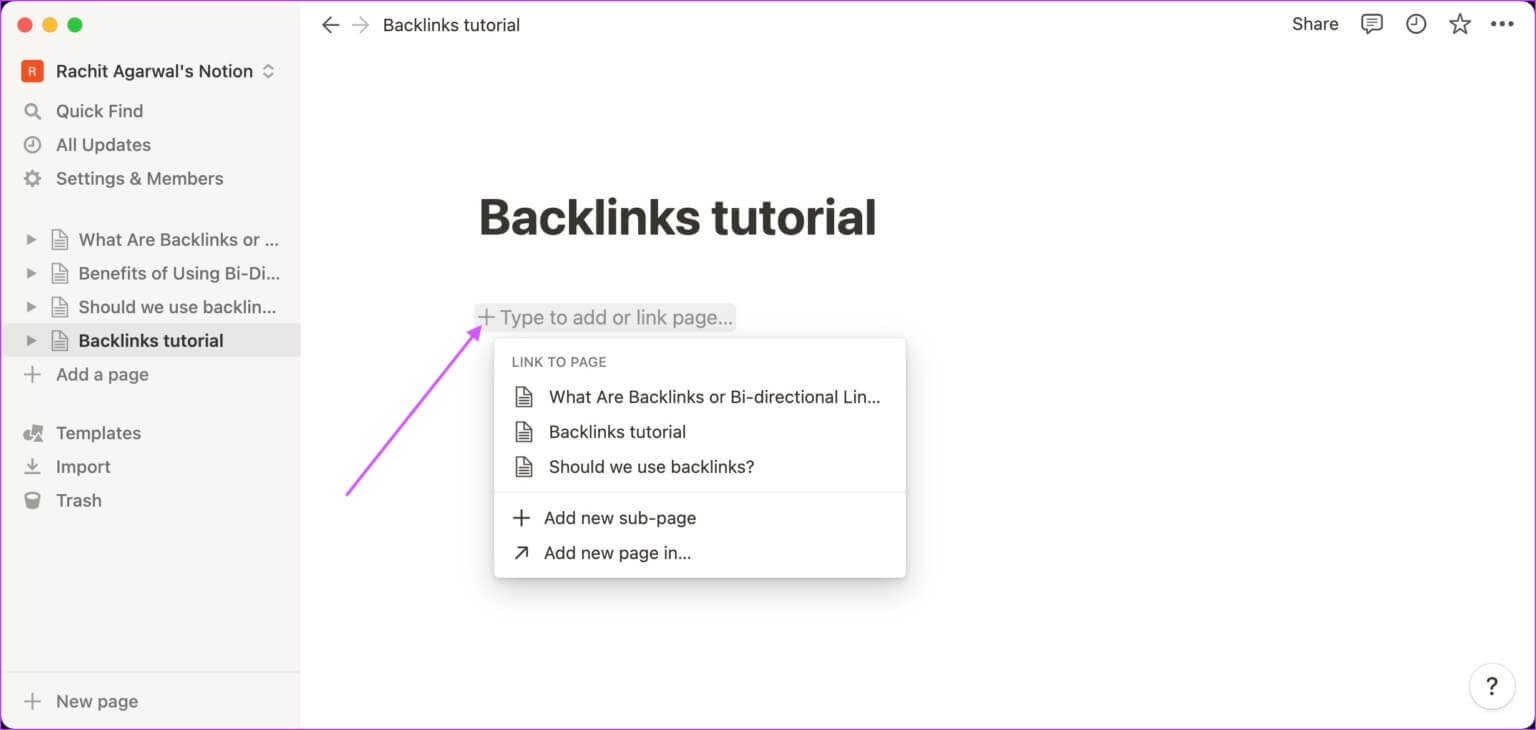



الخطوة 2: يمكنك أيضًا استخدام الرمز @ لفتح جزء الروابط الواردة.
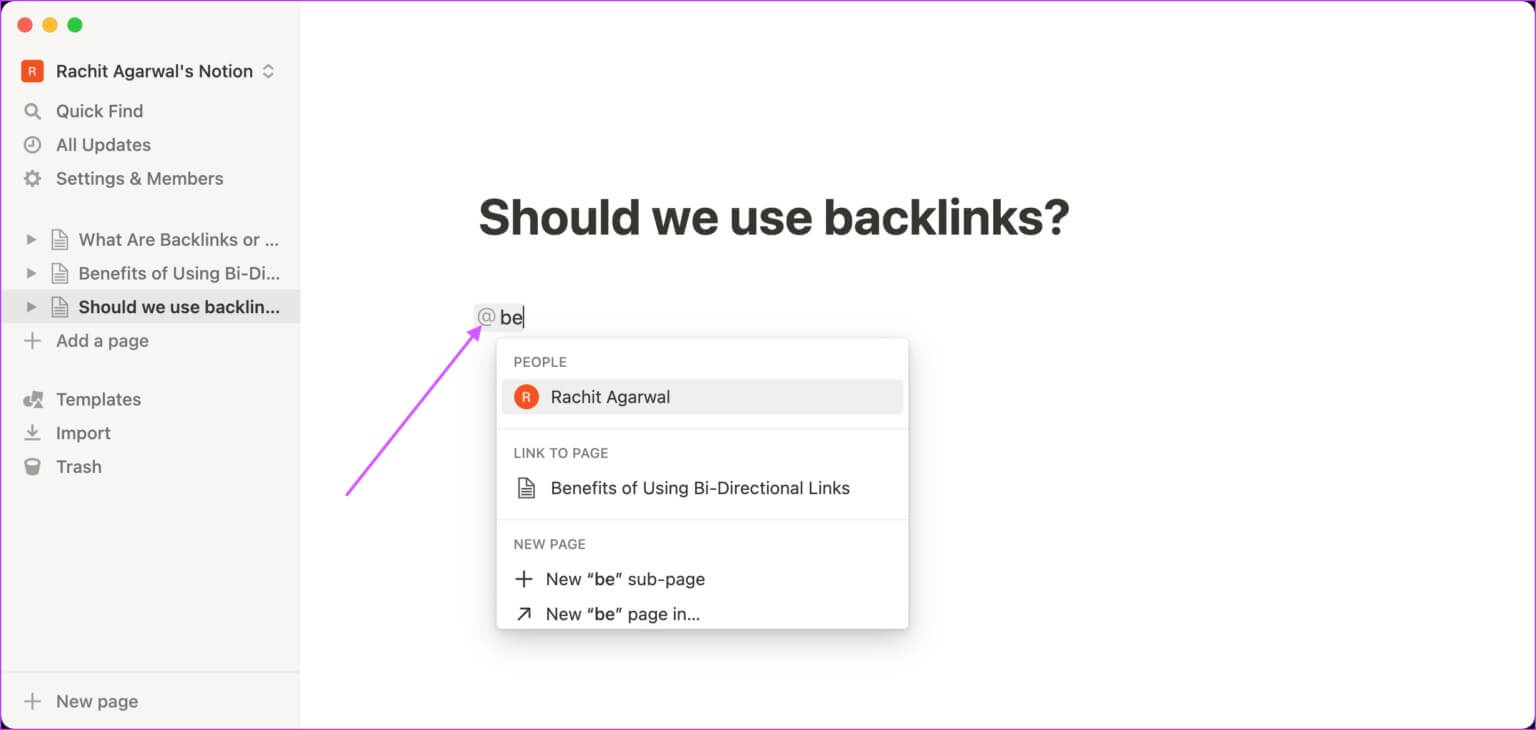
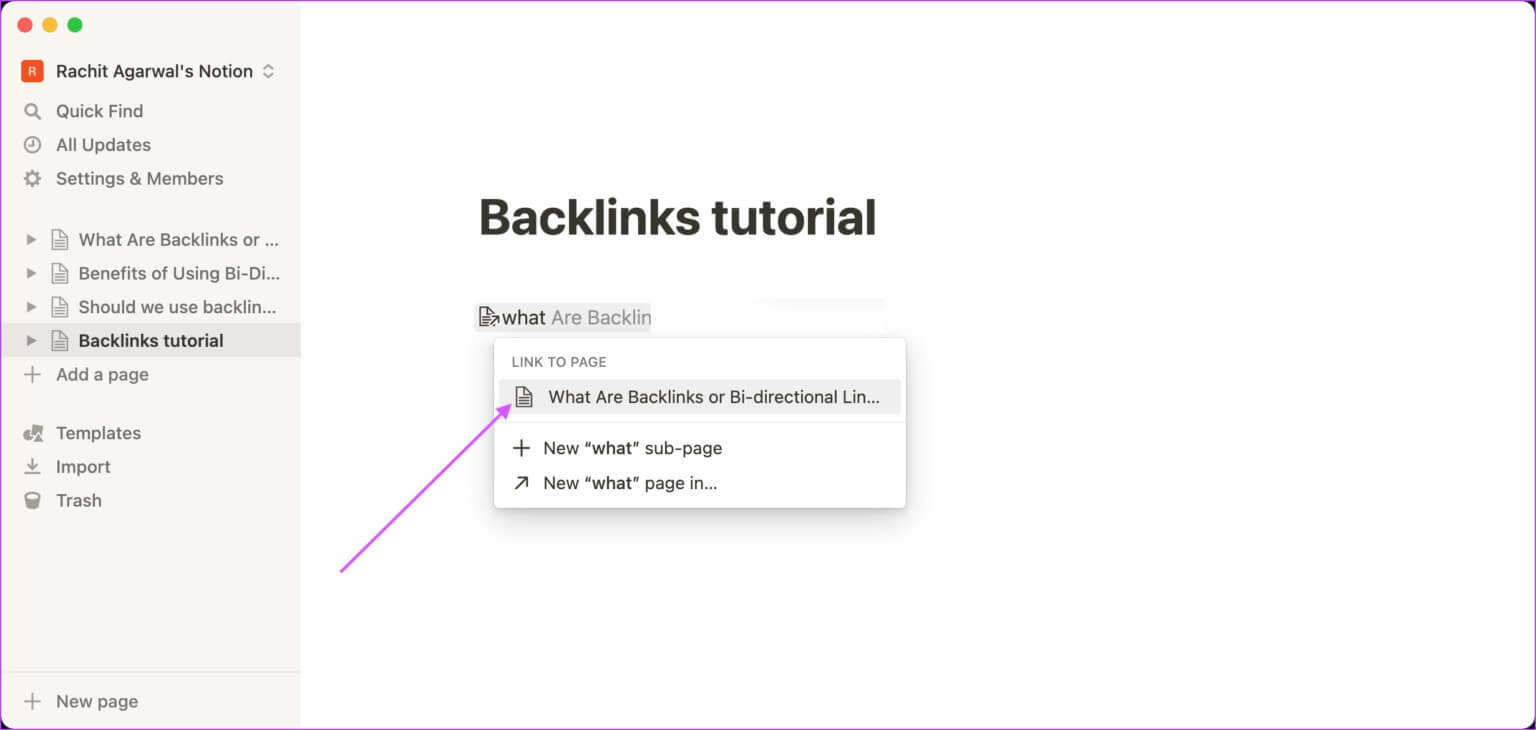
خطوة 3: ابدأ في كتابة اسم الصفحة التي تريد ربطها ، وسيقوم Notion بالبحث في قاعدة البيانات الخاصة بك وإظهار النتائج ذات الصلة.
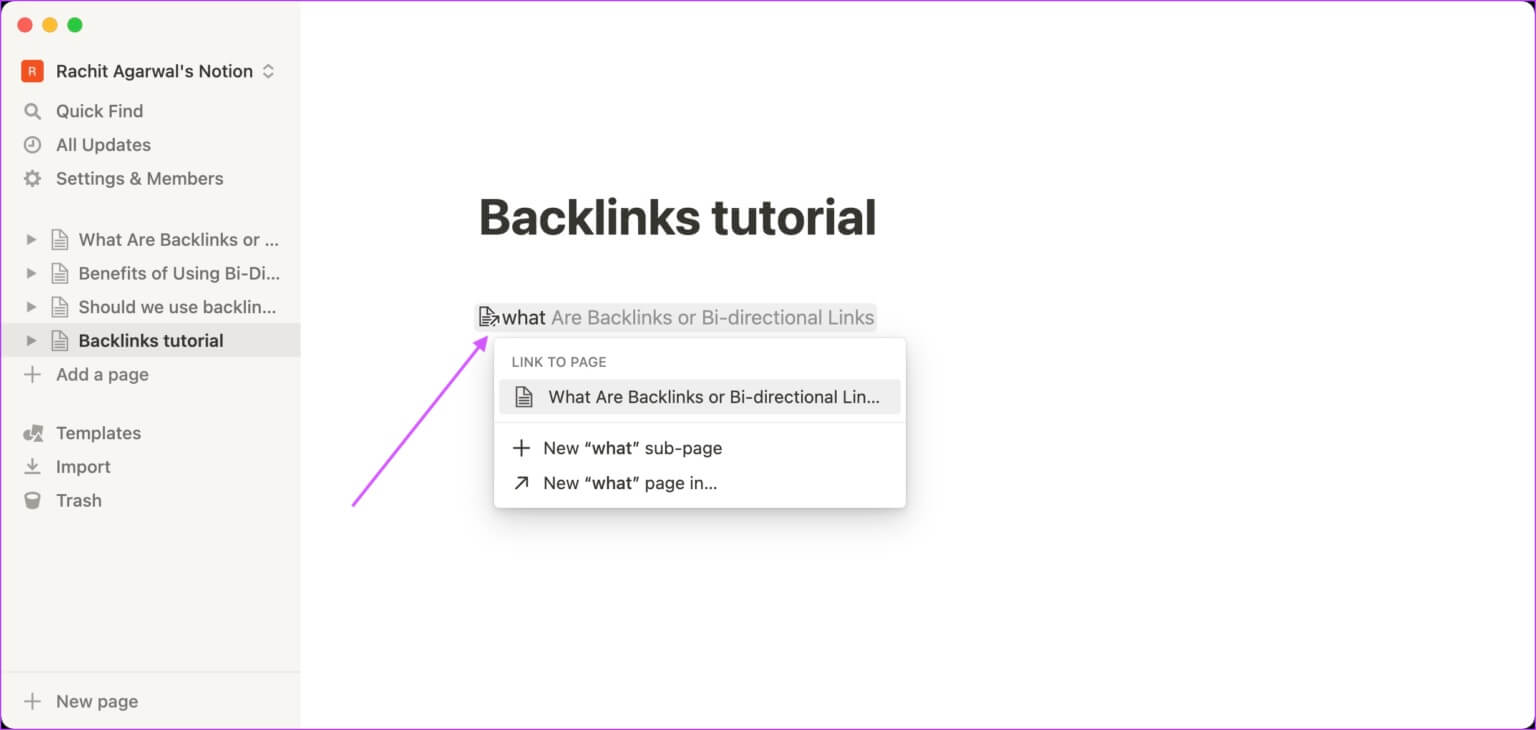
الخطوة 4: انقر فوق اسم الصفحة التي تريد ربطها.
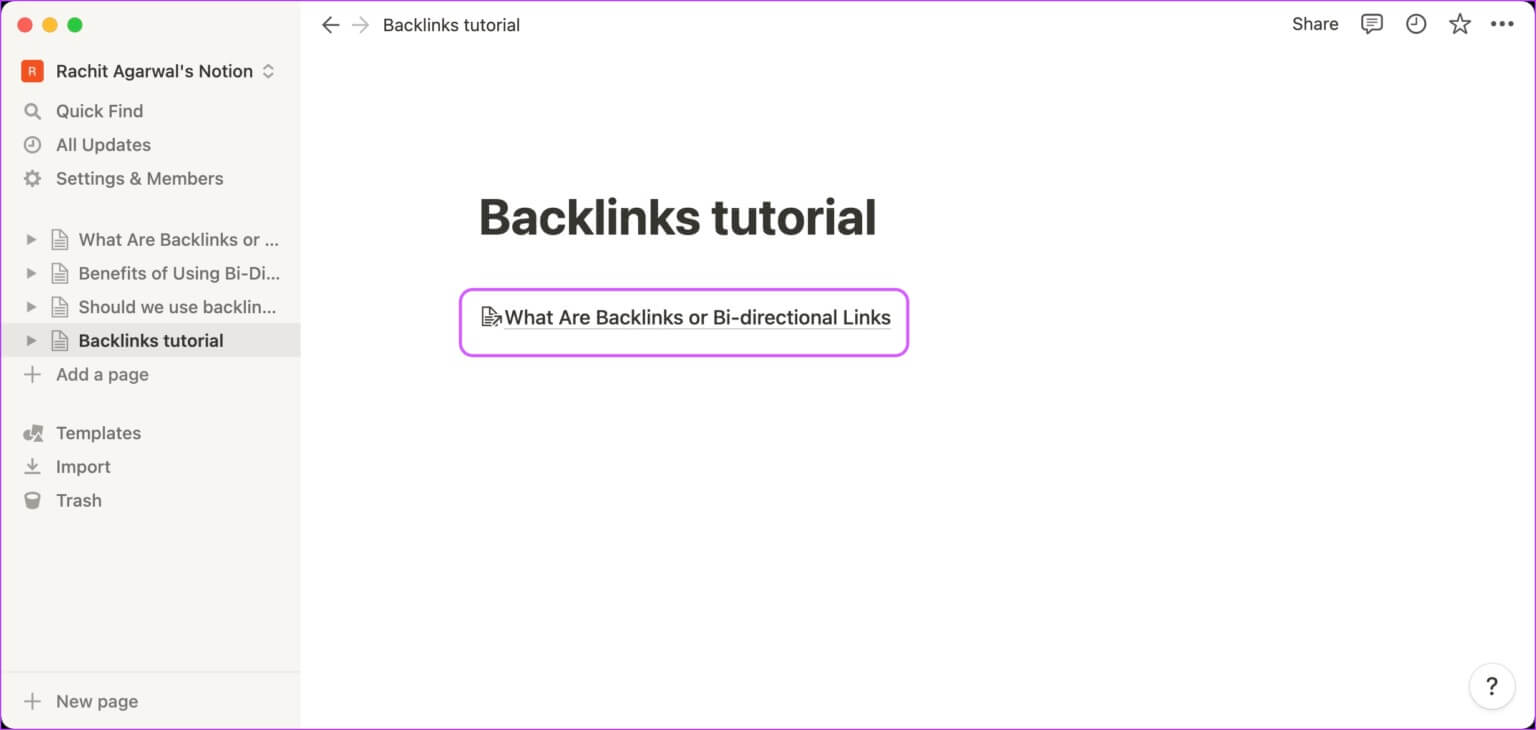
الخطوة 5: سيضيف Notion رابط الصفحة وسيظهر كما هو موضح أدناه.
كيفية عرض الروابط الخلفية في الملاحظة
باستخدام الروابط الخلفية ، يمكنك ربط العديد من الملاحظات والصفحات بحيث تتدفق المعلومات ويصبح من السهل تتبع الأشياء بدلاً من فتح كل صفحة أو ملاحظة على حدة. إليك كيفية عرض الروابط الواردة في مشروعك أو مشروع شخص آخر.
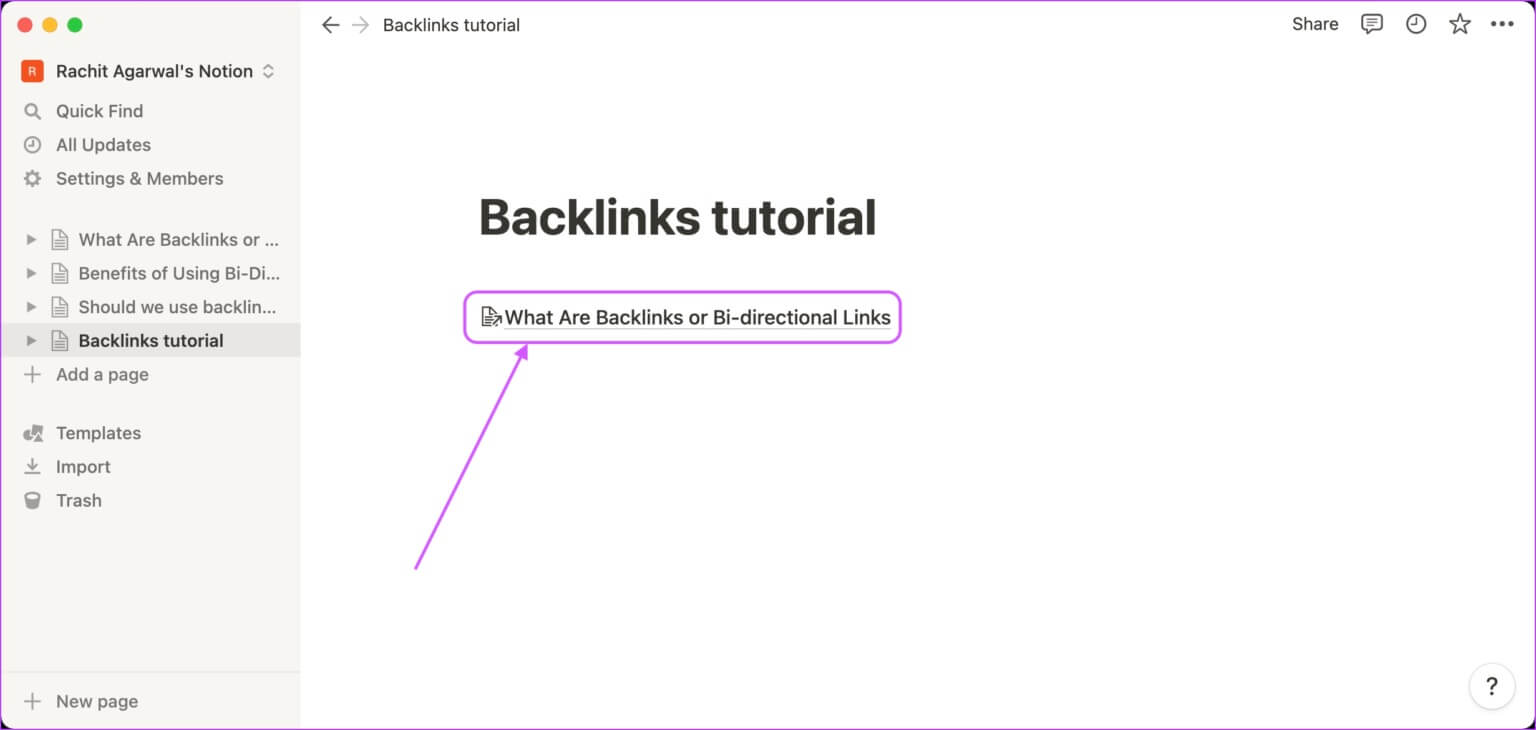
الخطوة 1: افتح الصفحة التي أنشأت فيها رابطًا خلفيًا. لزيارة الصفحة المرتبطة ، انقر فوق الارتباط.
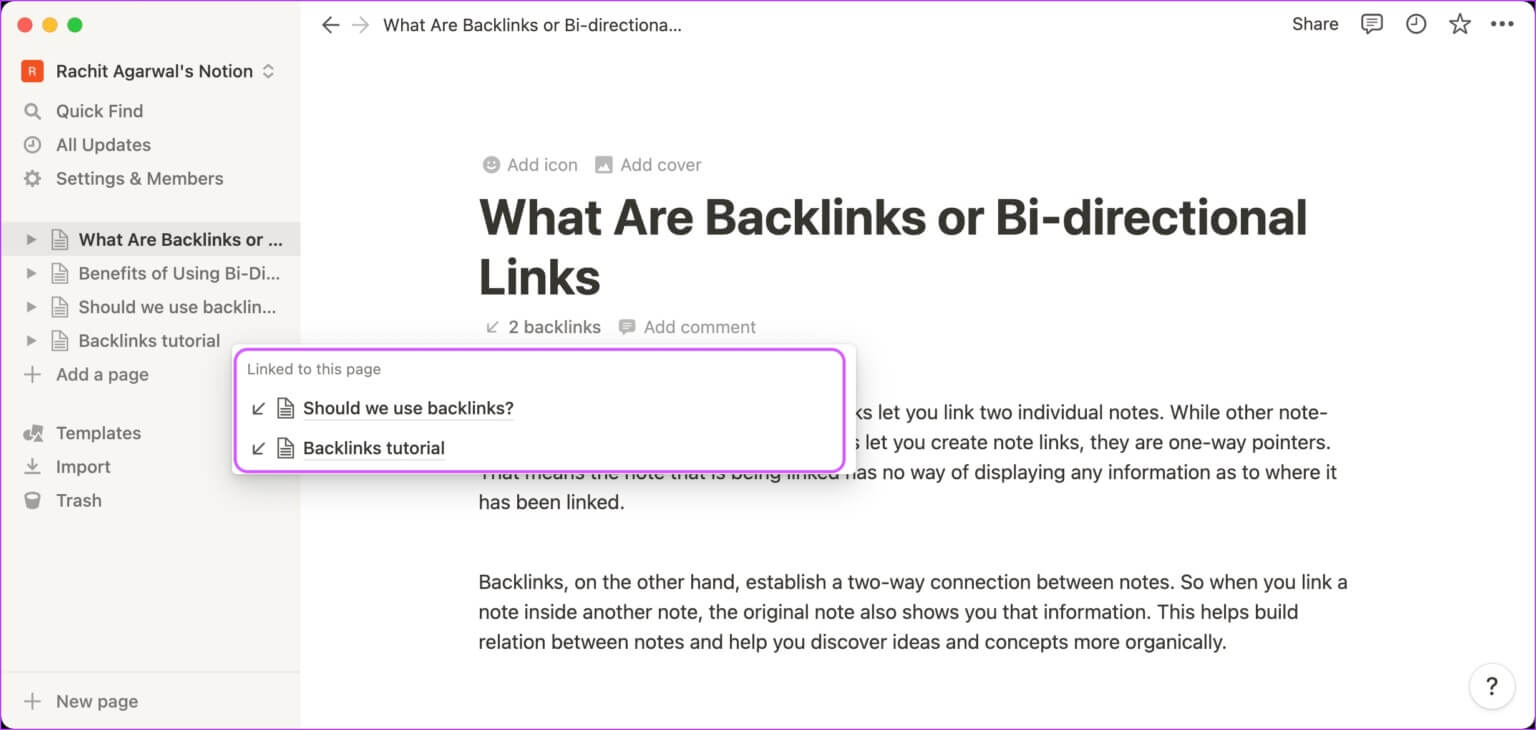
الخطوة 2: سترى أن الصفحة المرتبطة تعرض روابط خلفية أسفل العنوان مباشرة.
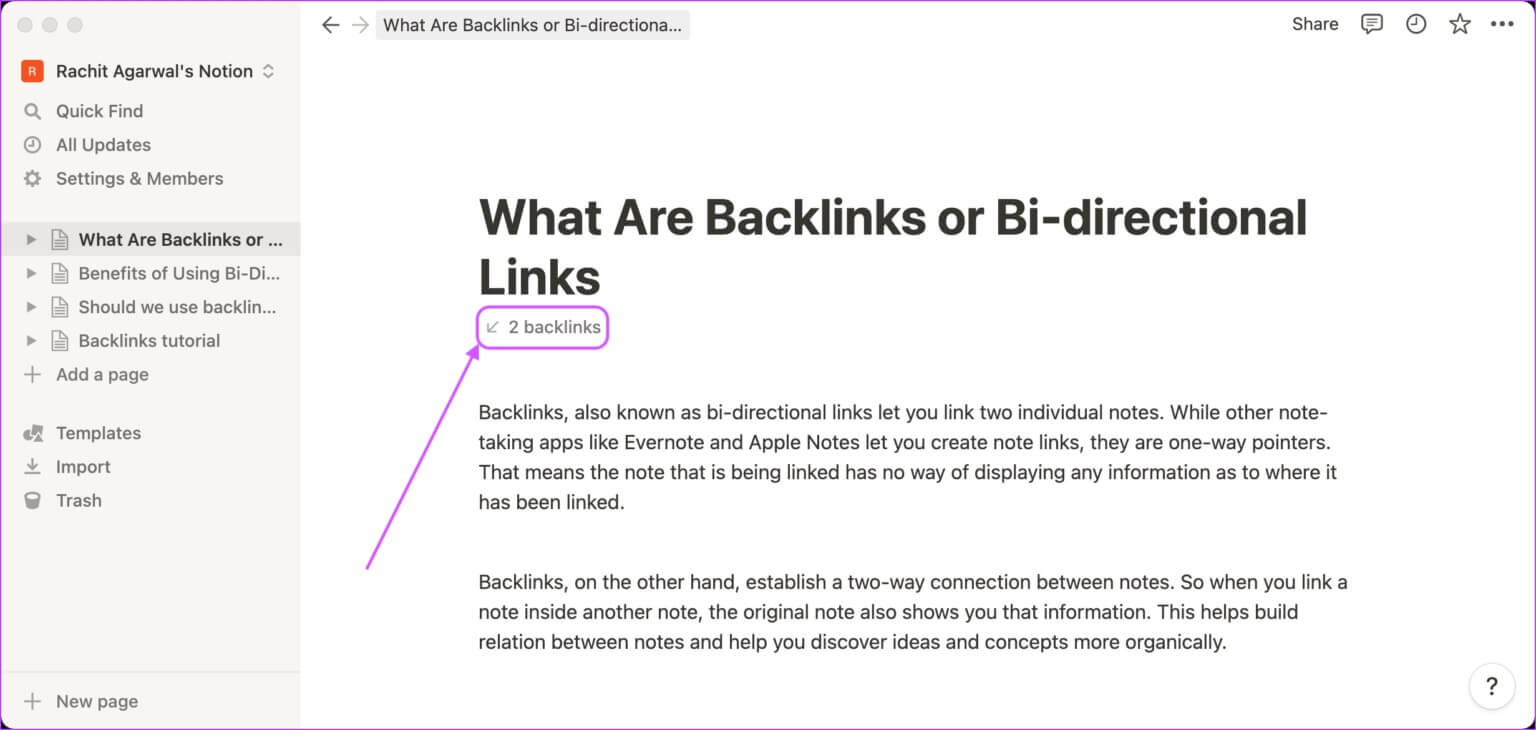
خطوة 3: انقر فوق الزر backlinks للكشف عن جميع الصفحات التي ترتبط بها الصفحة الحالية.
كيفية إزالة الروابط الخلفية في الملاحظة
لأي سبب من الأسباب ، إذا كنت تريد إزالة رابط خلفي لصفحات وملاحظات قديمة أو قديمة ، فهذا سهل. الشيء الوحيد الذي يجب أن تضعه في اعتبارك هو أن إزالة الرابط الخلفي سيؤدي إلى فصل الصفحات والملاحظات المرتبطة. سيتعين عليك إنشاء رابط خلفي مرة أخرى لإعادة توصيلهما.
الخطوة 1: افتح الصفحة التي أنشأت فيها الرابط الخلفي الذي تريد إزالته.
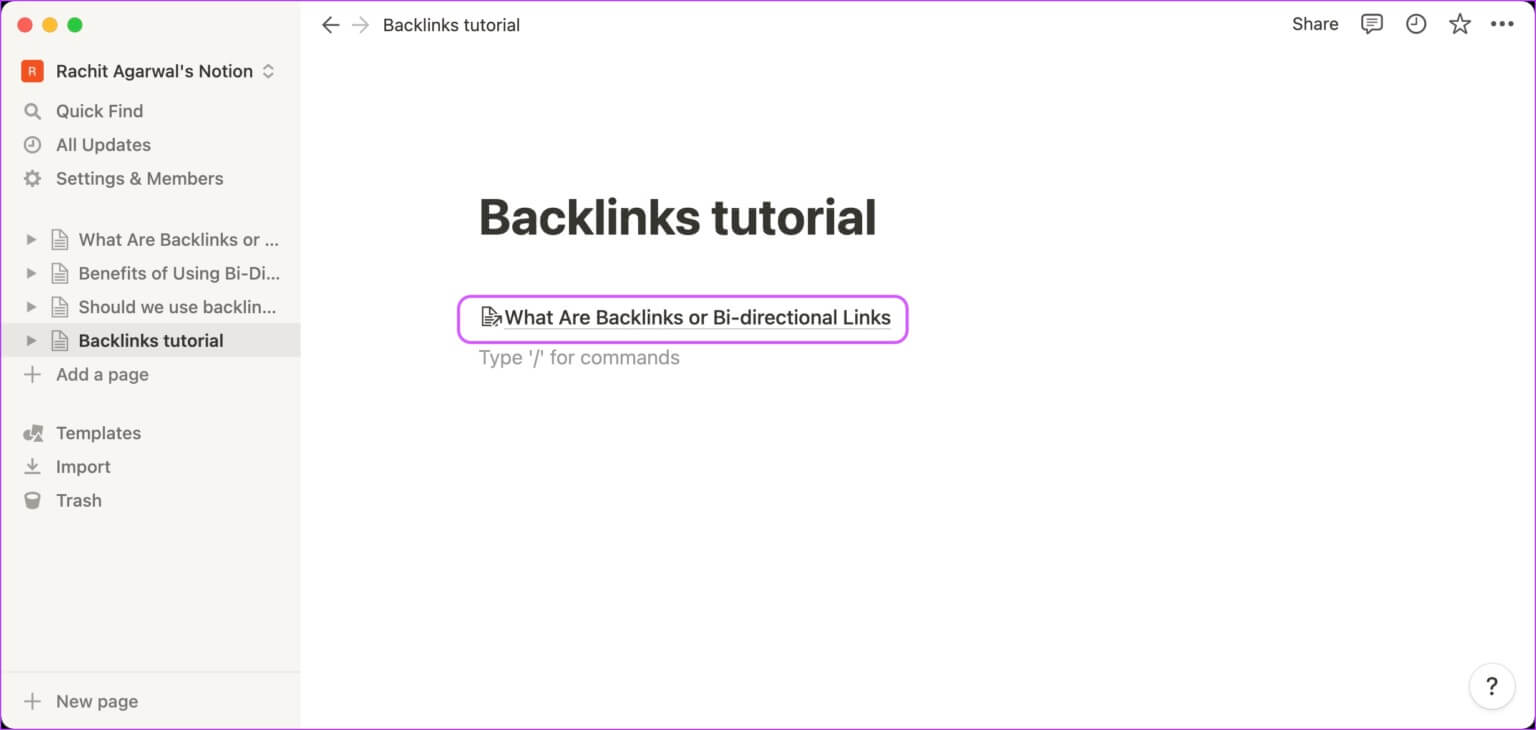
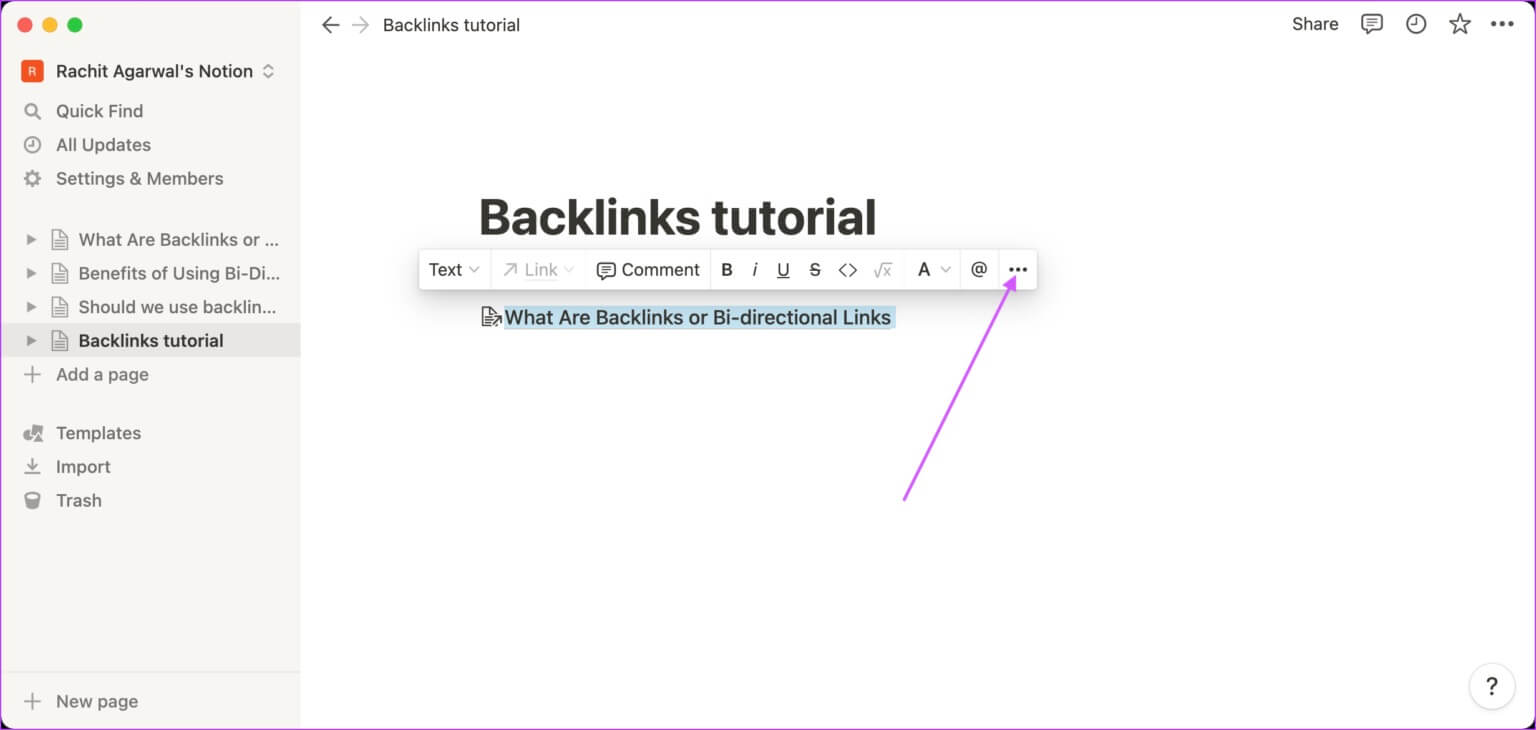
الخطوة 2: حدد الرابط وانقر على قائمة النقاط الثلاث.
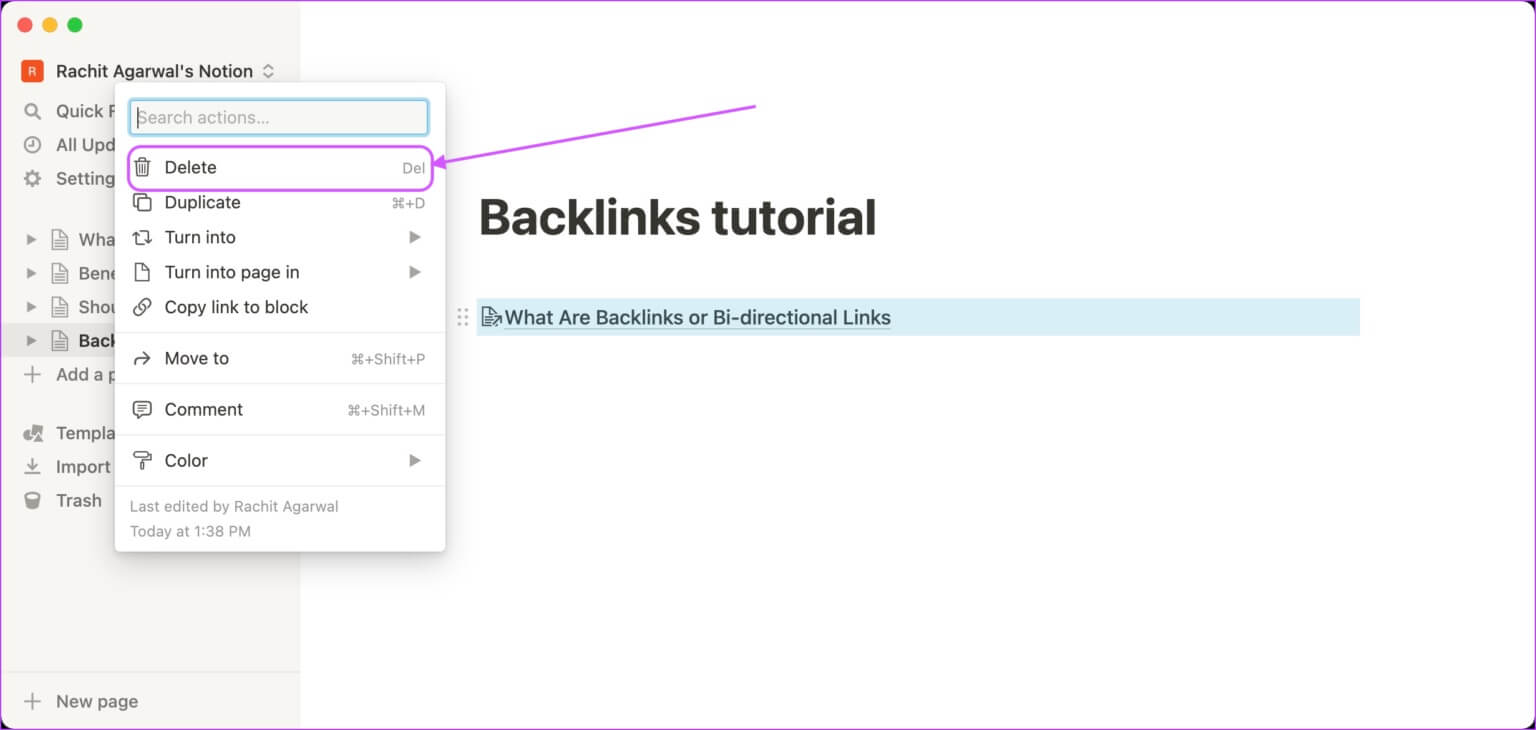
خطوة 3: انقر فوق الزر “حذف” لحذف الرابط الخلفي.
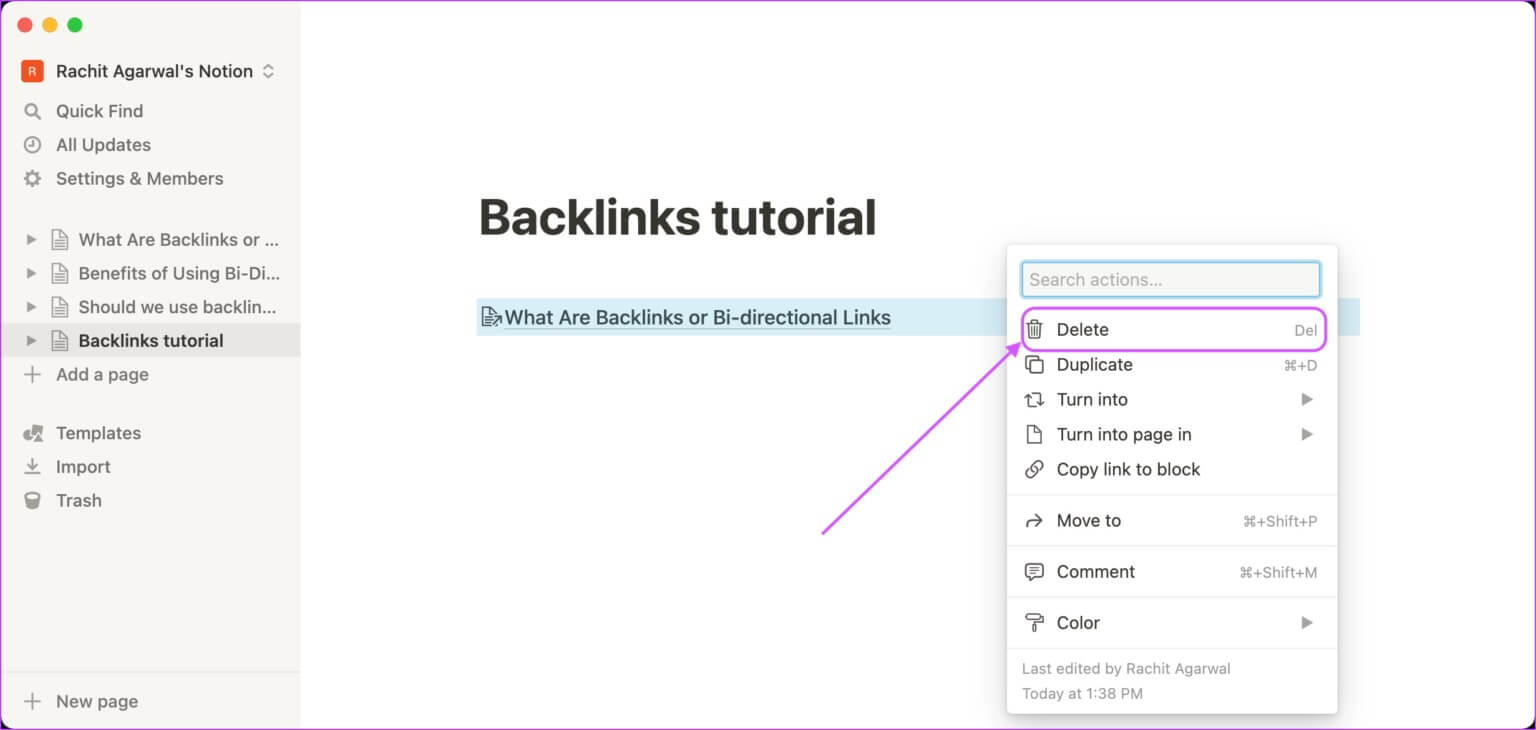
الخطوة 4: بدلاً من ذلك ، انقر فوق قائمة النقاط الست.
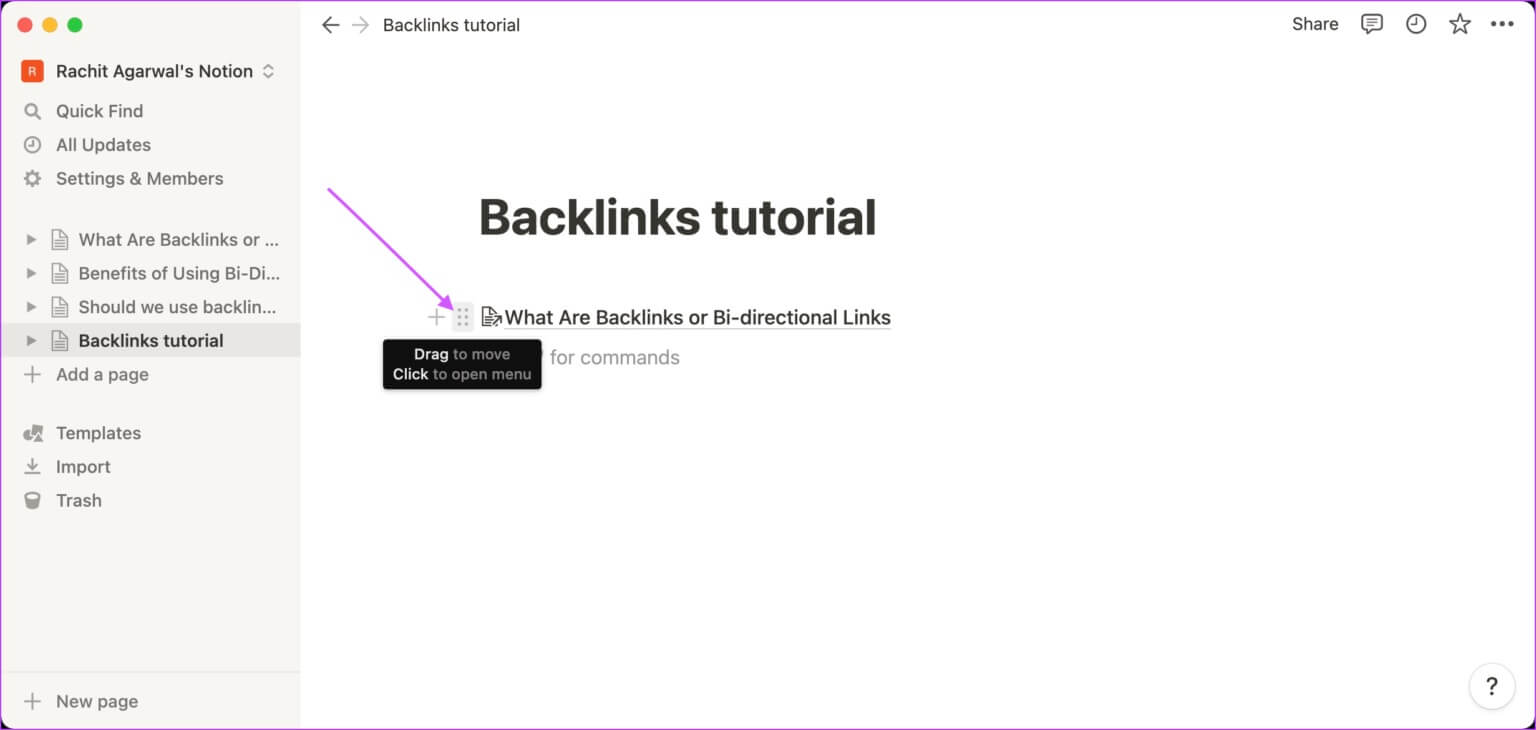
الخطوة 5: انقر فوق الزر “حذف” لحذف الرابط الخلفي.
استخدم الروابط الخلفية لربط الصفحات في الملاحظة
تصبح الروابط الخلفية أو الروابط ثنائية الاتجاه مفيدة إذا كان لديك مشاريع مفصلة وتحتاج إلى ربط الصفحات ذات الصلة ببعضها البعض. أفضل طريقة لاستخدام هذه الميزة هي إنشاء روابط بشكل عضوي وليس إجبارها على استخدام هذه الميزة فقط. استمر في إضافة روابط ثنائية الاتجاه إلى صفحات Notion حيث يكون ذلك منطقيًا ، وبعد بضعة أشهر ، ستبدأ في رؤية الفوائد الهائلة التي يجلبها هذا.